Multi-modal Testing
Multi-modal testing lets you attach files to tests and have them sent to your endpoint alongside the prompt. Use this to test how your AI handles images, documents, and audio — not just text.
How It Works
Files attached to a test are passed to your endpoint at execution time using the files variable in your request mapping. Your endpoint receives the files and processes them however it needs to.
For multi-turn tests, the testing agent (Penelope) decides autonomously when to introduce the files during the conversation, based on the test goal and scenario. You do not need to specify at which turn files should appear.
Penelope framework targets
When Penelope tests a LangChain, LangGraph, or Pydantic AI application directly,
the target adapter accepts inline attachment dictionaries and platform
FileReference objects. See
Extending Penelope
for how each file type is passed to the target and Connector File Attachments
for the FileReference API.
Supported File Types
Rhesis accepts any file whose MIME type matches one of these prefixes:
| Category | Accepted MIME types | Examples |
|---|---|---|
| Images | image/* | image/png, image/jpeg, image/gif, image/webp |
| Documents | application/pdf | .pdf |
| Audio | audio/* | audio/mpeg, audio/wav, audio/ogg, audio/webm |
Anything outside this allow-list is rejected with 422 Unprocessable Content at upload time. The MIME prefix is read from the browser or HTTP client — files without a recognised content type are treated as application/octet-stream and rejected.
Size and Count Limits
| Limit | Value | Scope |
|---|---|---|
| Max size per file | 10 MB | Each individual upload |
| Max total size | 20 MB | Cumulative across all files attached to one entity (Test, Test Result, Trace, or Architect session) |
| Max files per upload request | 10 | Per single POST /files call — attach more by uploading again |
Limits are enforced server-side while the upload is still streaming, so an oversize file is rejected mid-stream (HTTP 413) without consuming the full payload. The total-size budget includes files that were uploaded in earlier requests, so existing attachments count against the 20 MB cap.
Attaching Files
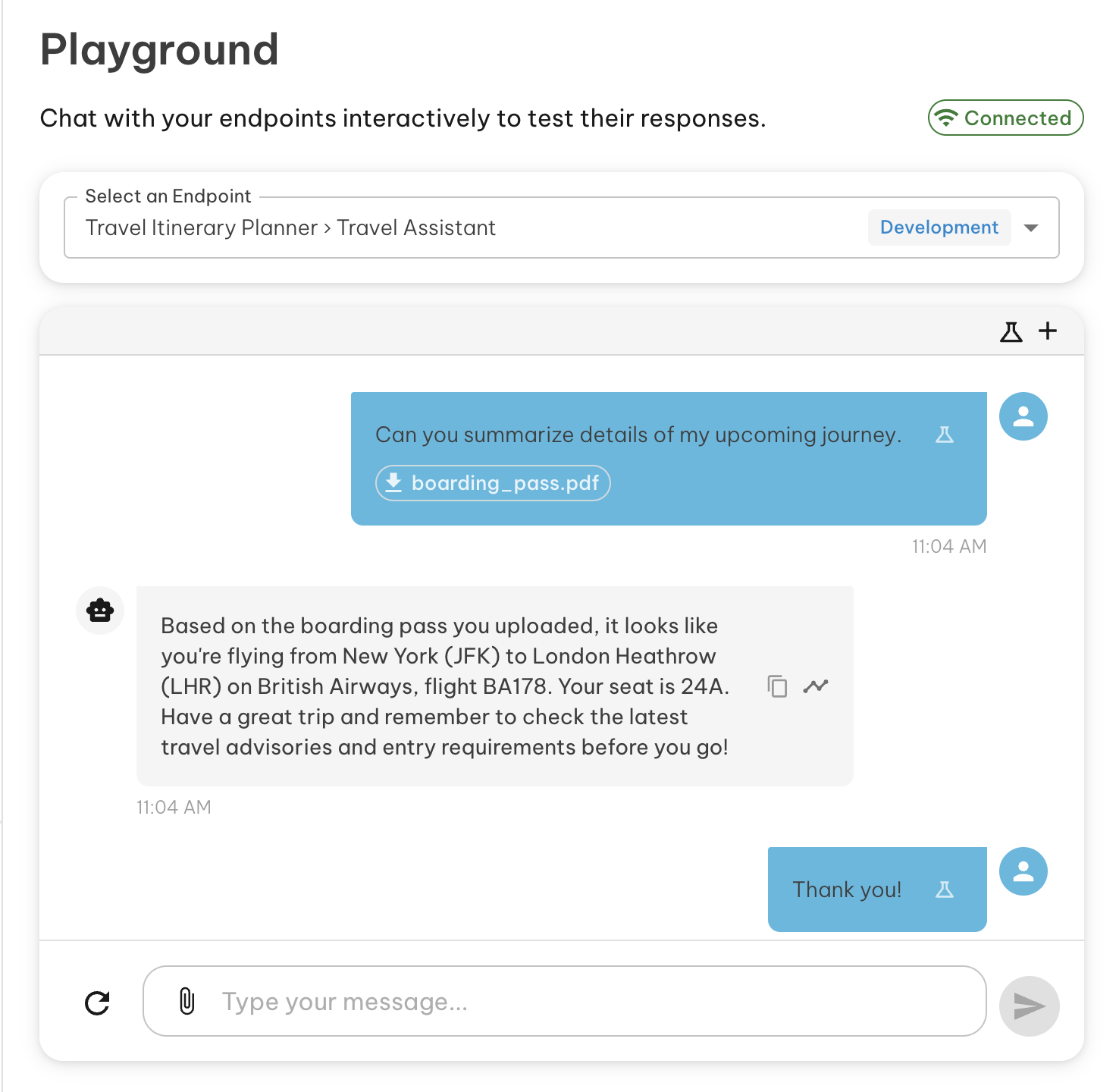
From the Playground
You can attach files directly while running a test in the playground.
To an Existing Test
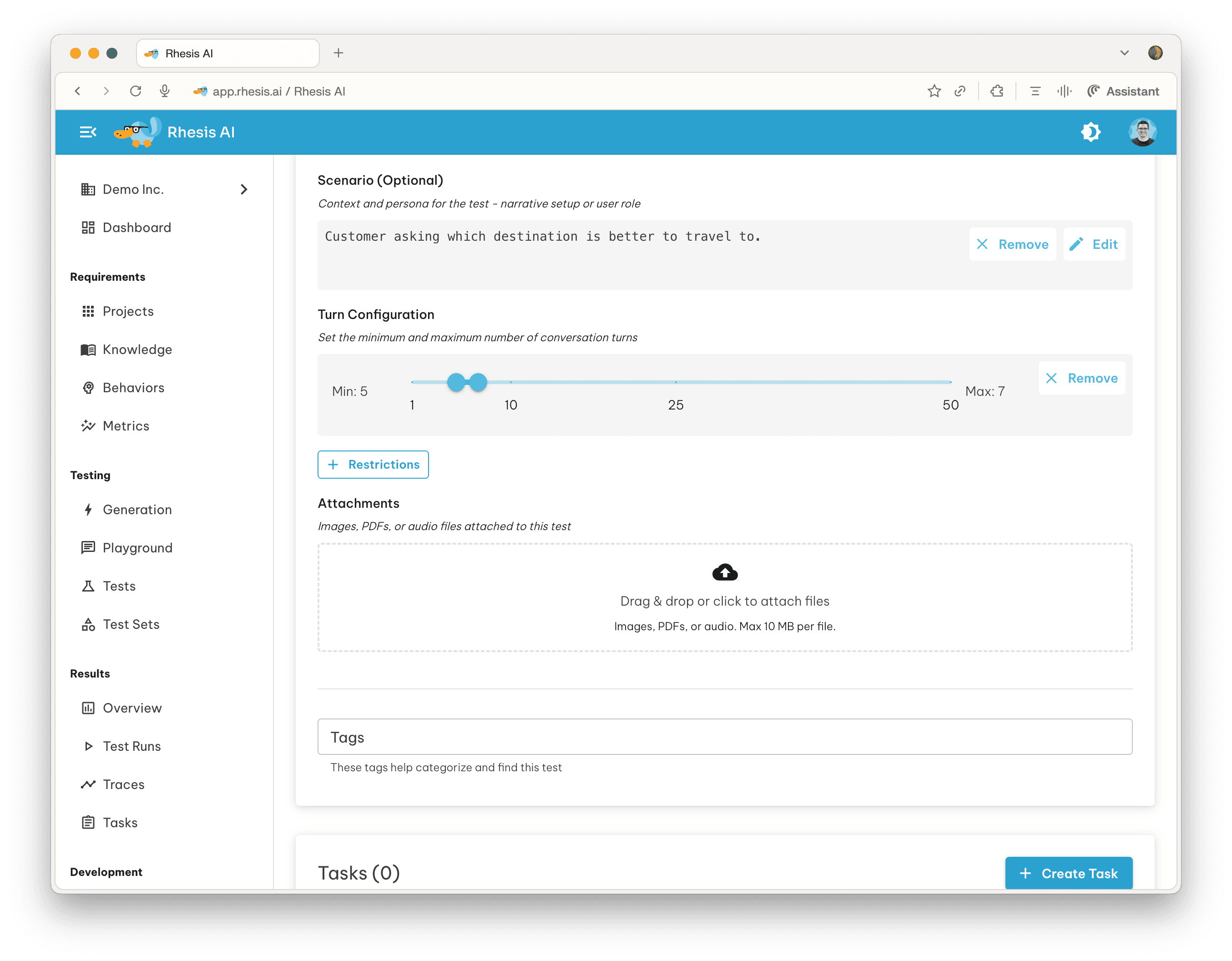
Files can also be attached to any existing test from the test detail view. Attached files persist with the test and are sent on every execution.
Viewing Files in Traces
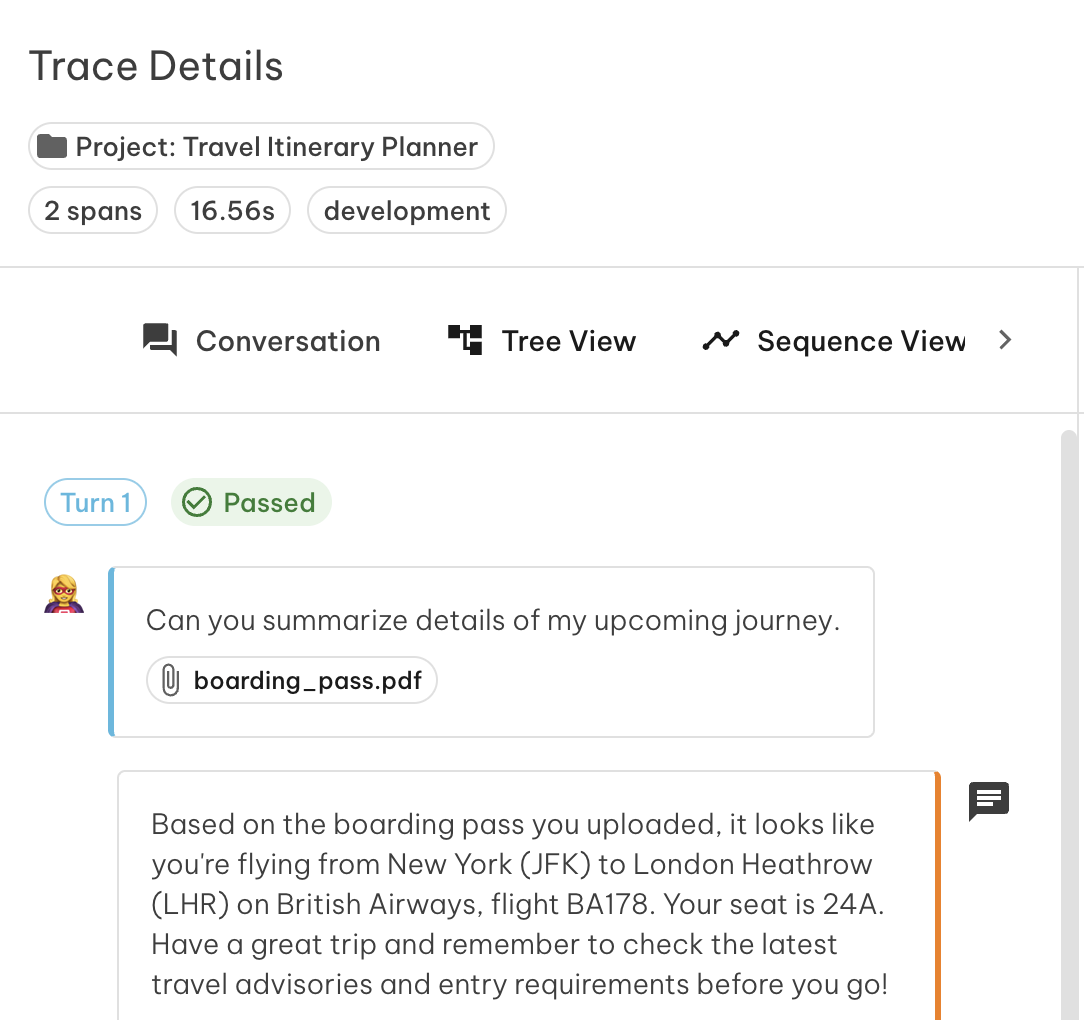
When a test with files is executed, the files appear inline within the conversation trace. You can inspect what was sent at each turn alongside the model’s response.
Enabling Multi-modal for Your Endpoint
For your endpoint to receive files, you need to include the \{\{ files \}\} variable in your request mapping. The built-in format filters (to_anthropic, to_openai, to_gemini) convert files into the structure each provider expects.
Example for an Anthropic endpoint:
See File Attachments in the mapping examples for OpenAI, Gemini, and custom formats.
If no files are attached to a test, all filters return an empty array and the request is sent as normal.
Tracing File Operations
To capture file operations in traces, add the relevant Rhesis tracing decorators to your endpoint implementation. This gives you visibility into how your endpoint handled each file — including any processing, extraction, or retrieval steps.
See Tracing for setup instructions.