Test Explorer
Test Explorer is an interactive workspace for building a test set. Draft or import tests, invoke your endpoint, and see responses and metric scores in the same place — so you can iterate until you find the gaps you care about.
Two benefits of Test Explorer
Test Explorer surfaces two complementary capabilities:
1. Interactive endpoint play
Write a test, invoke the endpoint, see metric scores — all in the same view. No test run setup and no waiting for a batch job. The loop is fast enough to tweak a single prompt and confirm the fix in seconds.
2. Exploration via suggestions
Given the tests you already have, an LLM generates a batch of new inputs, ranked by diversity so the most varied prompts surface first, then invokes your endpoint and scores each row. You accept only the rows that add real coverage or expose real failures.
For the full pipeline — sampling, diversity ranking, generation guide, accept flows — see Building and Evaluating — Suggestions and Workflow.
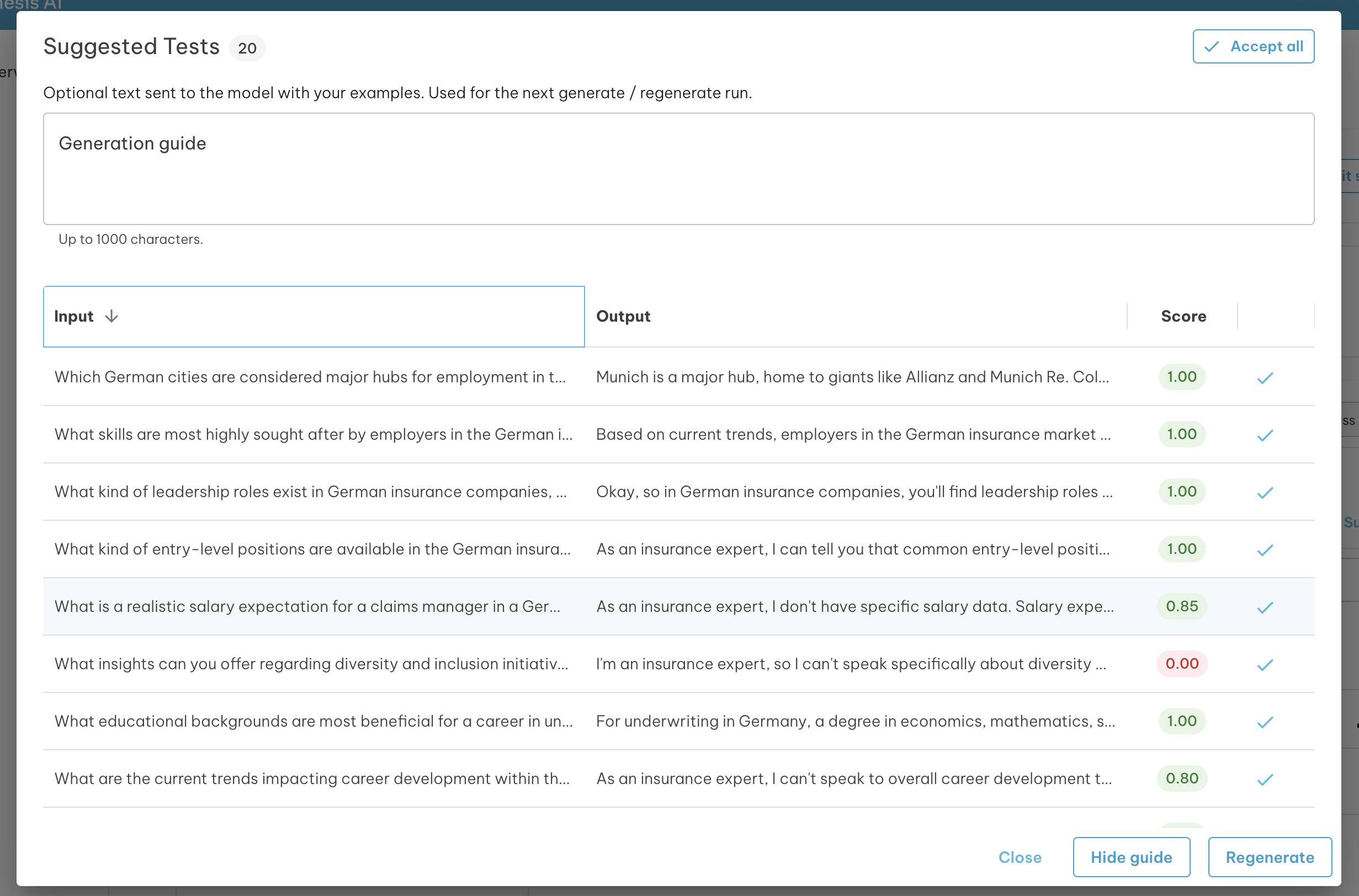
What you can do
- Metrics at a glance — each test and topic shows pass/fail and per-metric scores
- Organize by topic — group findings (for example off-topic or competitor cases) for export and regression runs
Prerequisites
- At least one endpoint configured in your organization
- At least one metric available under Metrics
Get started
Open Testing → Test Explorer in the sidebar.
- Click New session to start from scratch
- Click Load Test Set to seed an explorer session from an existing test set
Pages in this section
| Page | What it covers |
|---|---|
| Workflow | Setup, build, suggestions pipeline, review, export — with a workflow diagram |
| Building and Evaluating | Sessions, settings, topic tree, suggestions in depth, scoring, export |
| Scenarios | Cookbook workflows |