Run Evaluations
In Rhesis, a Test Set is a collection of tests — single-turn prompts or multi-turn conversation scenarios, each with optional context and expected outcomes — that is run against your Endpoint for evaluation.
There are three main ways to acquire or create Test Sets:
Generating Tests
Instead of writing test cases manually, you can use Rhesis to automatically generate them based on your application’s requirements or constraints.
Using the UI: You can use the Rhesis Platform to generate tests interactively. On the Test Sets page, click AI generated Test Set and describe what you want to test; Rhesis generates the tests for you.
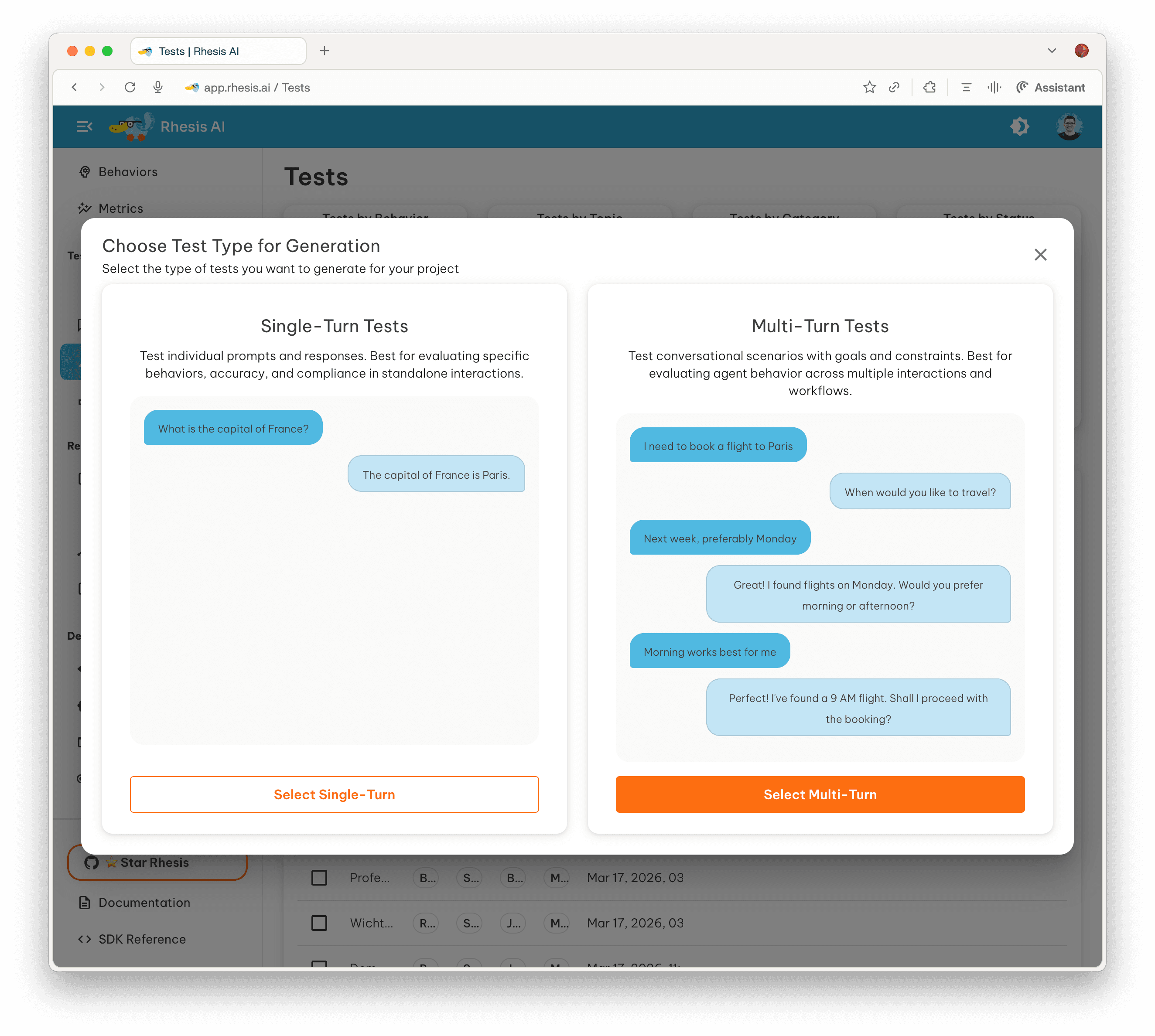
- You can generate single-turn prompts or complex multi-turn conversations.
- Learn more about the Test Generation UI.
Using the Python SDK:
You can also generate tests programmatically using the PromptSynthesizer.
Importing Existing Tests
If you already have test cases stored in a file (such as a CSV or JSON file from previous evaluations), you can upload them directly through the Platform UI. This is useful for regression testing or evaluating against established benchmarks.
Adversarial Security Testing (Garak)
For evaluating the security and robustness of your LLM application, Rhesis integrates with specialized tools to generate adversarial tests.
Using our integration with Garak (Generative AI Red-teaming and Assessment Kit), you can automatically probe your application for vulnerabilities like prompt injection, data leakage, and harmful content generation.
Running the Test Set
Once your Test Set is ready and your Endpoint is connected, you can execute a test run.
- Navigate to the Test Sets page in the Rhesis UI.
- Open your newly created Test Set.
- Click the Execute test set (play) button.
- Select the Endpoint you connected in Step 2.
- (Optional) Select any evaluation metrics you want to compute on the results.
- Click Execute Test Set to start the run.
Rhesis will orchestrate the execution, sending each test case to your application in parallel, collecting the responses, and computing relevant metrics. You can then analyze the results in the interactive dashboards. Where you disagree with an automated verdict, annotate the result to record your own.
For detailed information on configuring execution behavior, concurrency, and handling retries, see the Test Execution Guide.
Prefer working from your IDE? The Rhesis agent skill lets you run the full discover-plan-execute workflow — or build a test foundation from requirements — from Cursor, Claude Code, or any compatible AI interface.
You’ve completed the Getting Started guide. Take the tour to see the rest of the screens, or read up on our Core Concepts.