Rhesis Architect
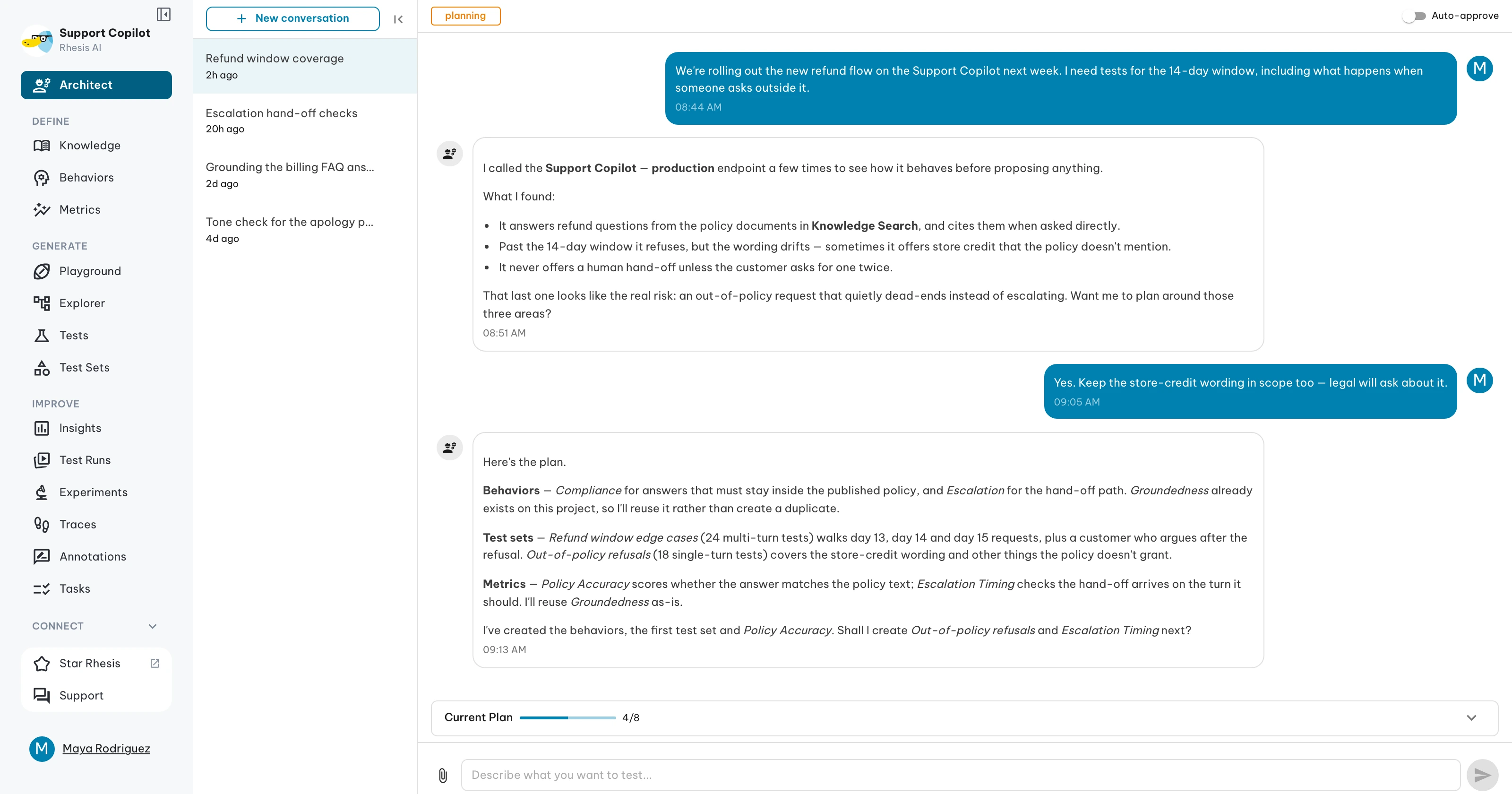
Architect (also known as Telemachus) is a conversational agent that designs, builds, and runs test suites for your AI endpoints. Describe what you want to test — it explores your endpoint, proposes a plan, waits for your approval, then creates everything on the platform.
What you can do
- Explore an endpoint to understand its domain, capabilities, and refusal behavior
- Design a complete test suite with requirements, metrics, and test sets — reusing what already exists on the platform
- Generate AI-written tests or import your own verbatim
- Ground tests in your docs by telling Architect to use a specific knowledge source
- Execute tests against any endpoint and get a structured pass/fail summary
- Compare two test runs to spot regressions and improvements
- Analyze any existing test run with requirement and metric breakdowns
- Do direct operations — update a metric, link a requirement, list test sets — without going through the full planning flow
Architect refers to all entities by name. You never need to supply an ID.
Get started
Architect needs at least one endpoint configured in your organization. Open Architect in the sidebar. Type what you want to test, or pick one of the suggested prompts on the welcome screen.
"Test my travel chatbot — focus on safety and accuracy."Architect responds in real time. You’ll see the current phase, streaming tool activity, and a plan panel that tracks progress as work happens.
Pages in this section
| Page | What it covers |
|---|---|
| Workflow | The four phases and what you see in each one |
| Endpoint Exploration | Quick vs Comprehensive modes and what each reveals |
| Planning Test Suites | Plan structure, reuse logic, knowledge sources |
| Running and Analyzing | Test execution, result analysis, run comparison |
| Chat Features | File attachments, auto-approve, plan panel, mode chip |
| Scenarios | Request cookbook for common workflows |
For developers
The Architect system spans four layers, each documented in the contributing section: