Test Sets
Test sets group related tests into collections for batch execution. When you generate tests, all created tests are automatically grouped into a single test set. You can also manually assign tests to test sets or remove them as needed.
Test sets inherit shared types, requirements, categories, topics and sources from their tests.
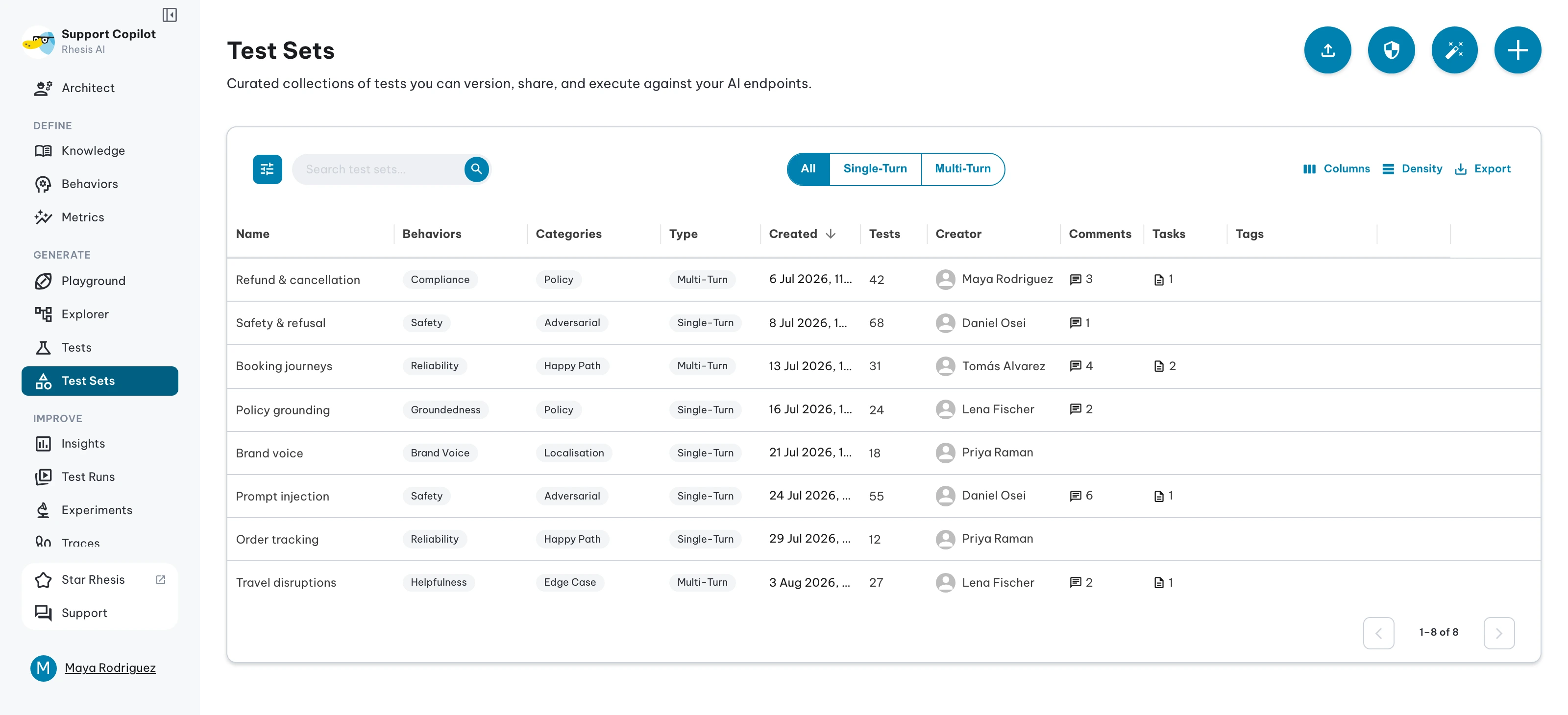
Test Sets Page
The Test Sets page is the central place to manage all your test sets. It displays a summary of test set activity in charts at the top, followed by a searchable, filterable grid of all test sets in your organization.
From this page you can:
- Create a new empty test set
- Import tests from a file or from Garak, or generate them from the OWASP Top 10 (see below)
- Execute one or more test sets against an endpoint
- Delete test sets you no longer need
Click any test set name to open its detail page, where you can inspect individual tests, view metrics, and manage tags.
Importing Test Sets
Rhesis provides two ways to bring existing tests into a test set without generating them from scratch.
From a File
Import tests from a CSV, Excel, JSON, or JSONL file. Rhesis analyses your file’s structure, suggests a column mapping to Rhesis test fields, and lets you review and adjust before committing. Both Single-Turn and Multi-Turn tests are supported.
From Garak
Garak is an open-source LLM vulnerability scanner. Rhesis integrates its full probe library directly into the platform — select the probes you want, and Rhesis creates one test set per probe, pre-populated with prompts. Garak detectors are automatically mapped as Rhesis metrics, so imported test sets are ready to evaluate immediately.
Probes come in two types: static (prompts bundled with the probe) and dynamic (prompts generated at runtime by an LLM). Both are supported.
Generating from the OWASP Top 10
Rhesis generates security test sets from the OWASP Top 10 for LLM applications or for agentic AI. You pick the risk categories and describe the system under test; the report’s own section text steers the attacks. Generated tests arrive linked to the seeded OWASP judge metrics.
Test Set Types
Every test set has a type that determines how its tests are executed:
| Type | Description |
|---|---|
| Single-Turn | Tests that evaluate individual prompt/response exchanges. Each test sends a single input and evaluates the response. Ideal for RAG systems, classification tasks, and standalone response quality. |
| Multi-Turn | Tests that evaluate conversational interactions across multiple turns. Each test defines a goal and the system conducts an automated multi-turn conversation to assess the endpoint’s behavior. Ideal for chatbots, agents, and dialogue systems. |
The test set type is set when the test set is created and determines which metrics can be applied during evaluation. When generating tests or importing from files, the type is inferred automatically from the tests: if any test is multi-turn, the test set is classified as Multi-Turn.
Executing Test Sets
Executing a test set runs all its tests against your LLM application endpoint to see how your application responds. This creates a Test Run that captures all results.
To execute a test set, select it from the Test Sets page and configure:
Execution Target
- Project: The current project
- Endpoint: The endpoint within the project to execute tests against
Execution Mode
- Parallel (default): Tests run simultaneously for faster execution
- Sequential: Tests run one after another, better for rate-limited endpoints
Model Settings
- Evaluation Model: Override the default evaluation model for this run
- Execution Model (multi-turn only): Override the default execution model used by Penelope
For details on all execution options, see Test Execution.
Tags: Optional tags to categorize and find this test run
Next steps
- Import from File to create a test set from CSV, Excel, JSON, or JSONL
- Import from Garak to import Garak vulnerability probes
- Generate tests to create test sets automatically
- View execution progress in Results Overview
- Track historical performance in Test Runs