Tasks
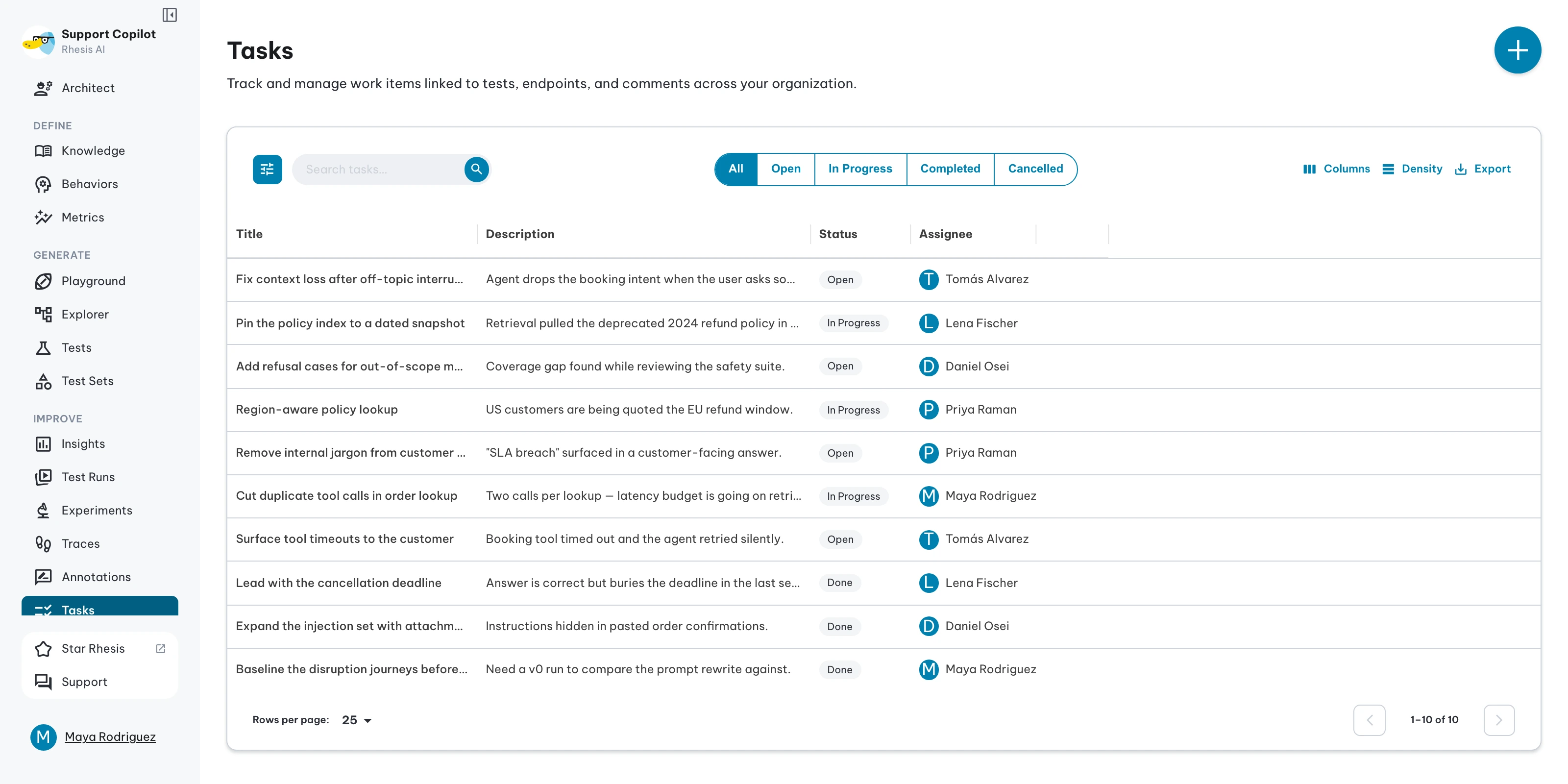
Tasks help teams coordinate testing work within Rhesis — tracking test failures, planning test development, and organizing reviews. Each task can be linked to a specific test, test set, or test result to provide full context for the work that needs to be done.
Task Properties
Each task includes the following properties to help organize and track work:
| Property | Options | Description |
|---|---|---|
| Status | Open, In Progress, Completed, Cancelled | The current state of the task |
| Priority | Low, Medium, High | The urgency level for completing the task |
| Creator | User | Person who created the task (automatically set) |
| Assignee | User (optional) | Team member responsible for completing the task |
| Title | Text | Short, descriptive name for the task |
| Description | Text | Detailed information about the task |
Linked Resources
Tasks can be associated with specific resources to provide context:
| Resource Type | Purpose |
|---|---|
| Test | Link to a specific test that needs attention or development |
| Test Set | Link to a collection of tests for batch operations or reviews |
| Test Result | Link to a test execution result that requires follow-up |
Jira Integration
Create Jira issues directly from tasks. First, set up a Jira tool connection with a configured project key. Once connected, use the Create Jira Issue button on any task to automatically create a linked issue in your Atlassian workspace.
Creating Tasks
You can create tasks from the Tasks page, or across the platform in Test Results , Tests or Test Sets .
Next steps
- Create tasks from Test Results
- Link tasks to Tests
- Organize work by Projects