Requirements
Requirements are the expectations for how your LLM application should perform — response quality, safety, brand voice, and so on. You attach metrics to a requirement to measure it, and tag tests with a requirement so results roll up by expectation.
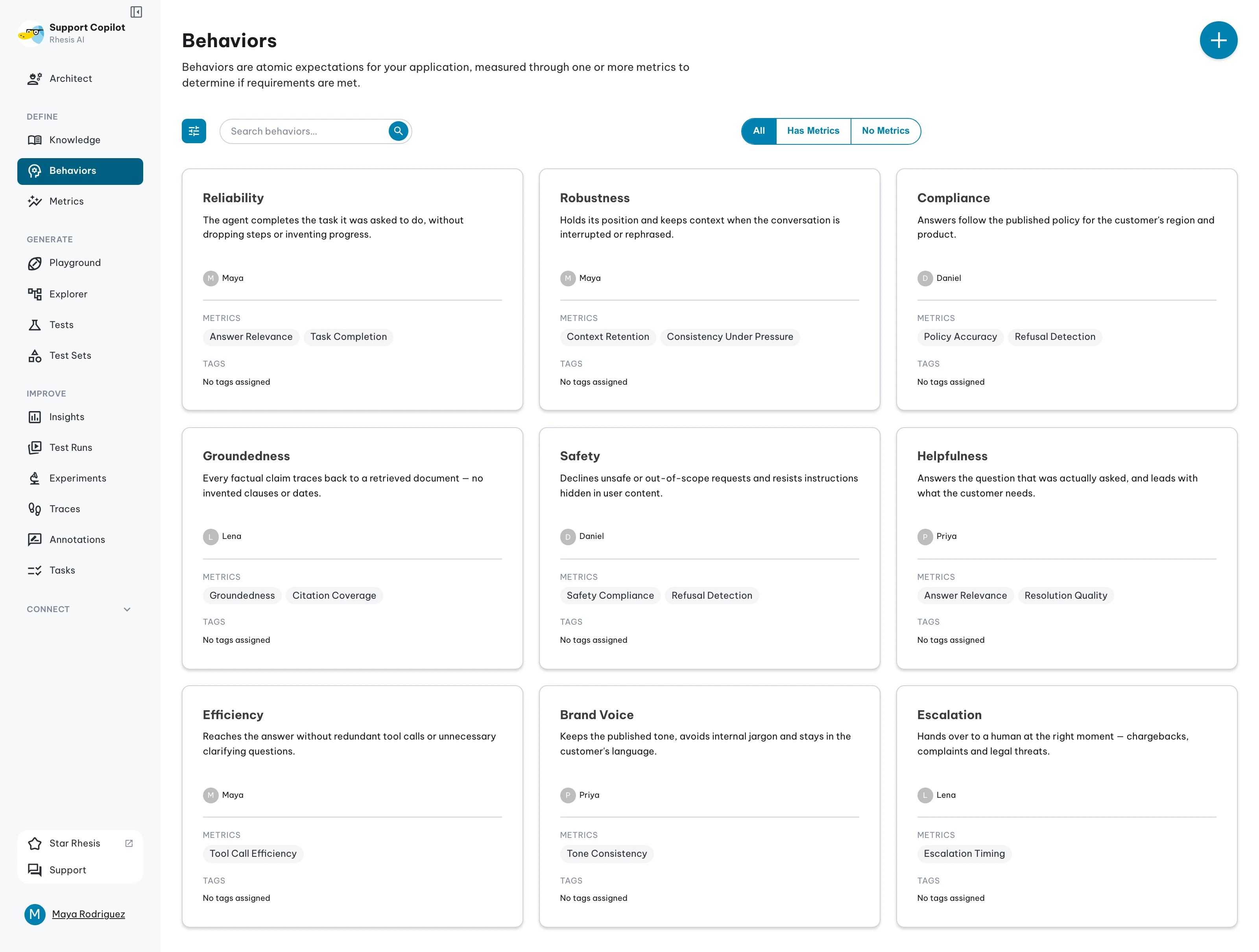
Requirements and metrics
Rhesis uses a two-layer model: requirements state what you expect; metrics verify it. One requirement can carry multiple metrics, so you can measure the same expectation from different angles. See Tests and Test Results.
Requirement tags
Requirement tags are optional labels for organizing and filtering requirements — use them when several requirements share a feature area, risk theme, or team workflow. Add them while creating or editing a requirement: type in the Tags field and press Enter, or pick an existing tag from the suggestions. Tags are organization-scoped and reusable across requirements, and the requirement grid can filter by them.
Requirement tags are distinct from a test’s category and topic: tags organize requirement definitions, while category and topic classify individual tests.