Multi-modal Testing
Multi-modal testing lets you attach files to tests and have them sent to your endpoint alongside the prompt. Use this to test how your AI handles images, documents, and audio — not just text.
How It Works
Files attached to a test are passed to your endpoint at execution time using the files variable in your request mapping. Your endpoint receives the files and processes them however it needs to.
For multi-turn tests, the testing agent (Penelope) decides autonomously when to introduce the files during the conversation, based on the test goal and scenario. You do not need to specify at which turn files should appear.
File Limits
| Limit | Value |
|---|---|
| Supported types | Images, PDFs, audio files |
| Max size per file | 10 MB |
| Max total size per test | 20 MB |
| Max files per upload | 10 |
Attaching Files
From the Playground
You can attach files directly while running a test in the playground.
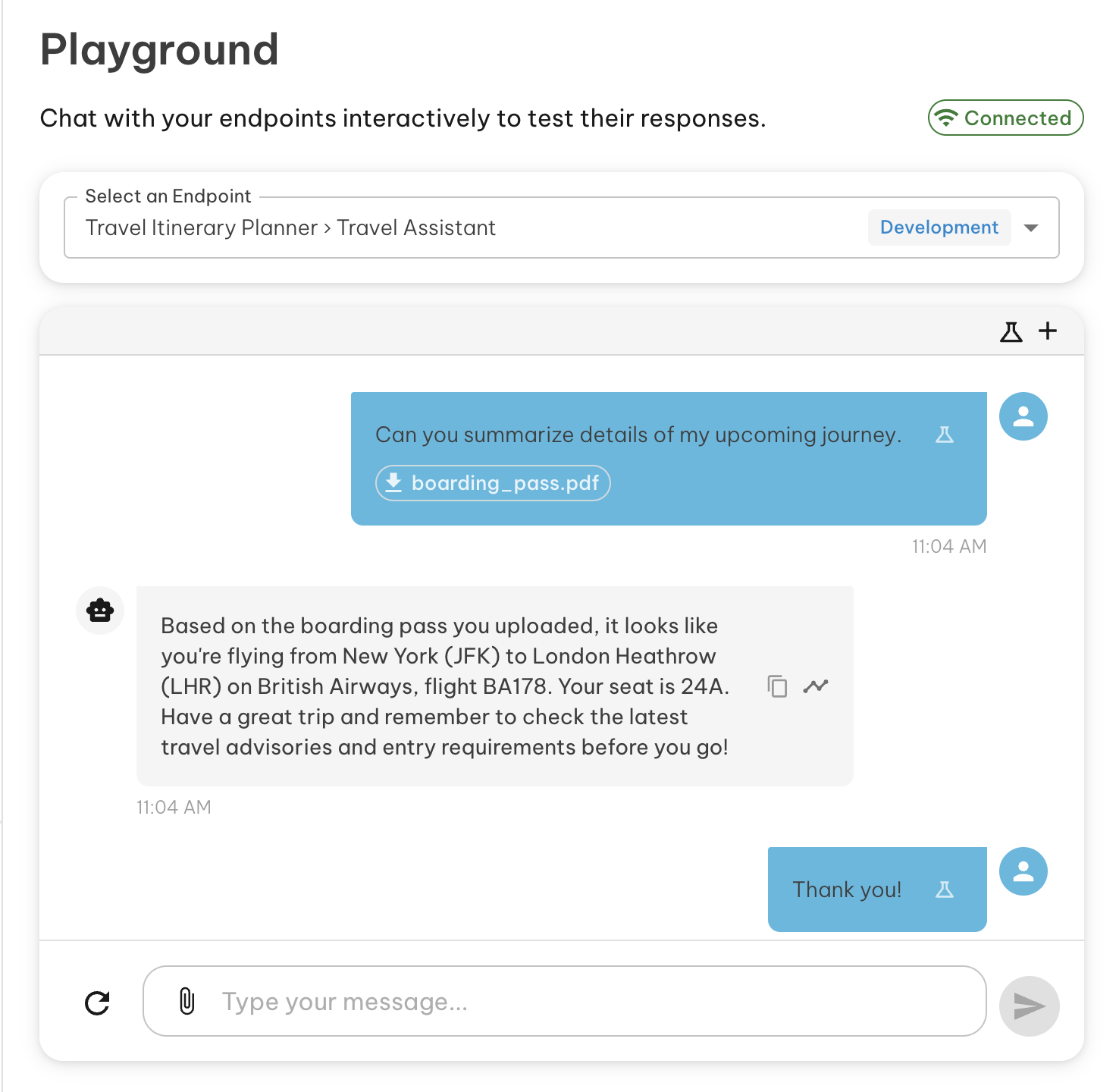
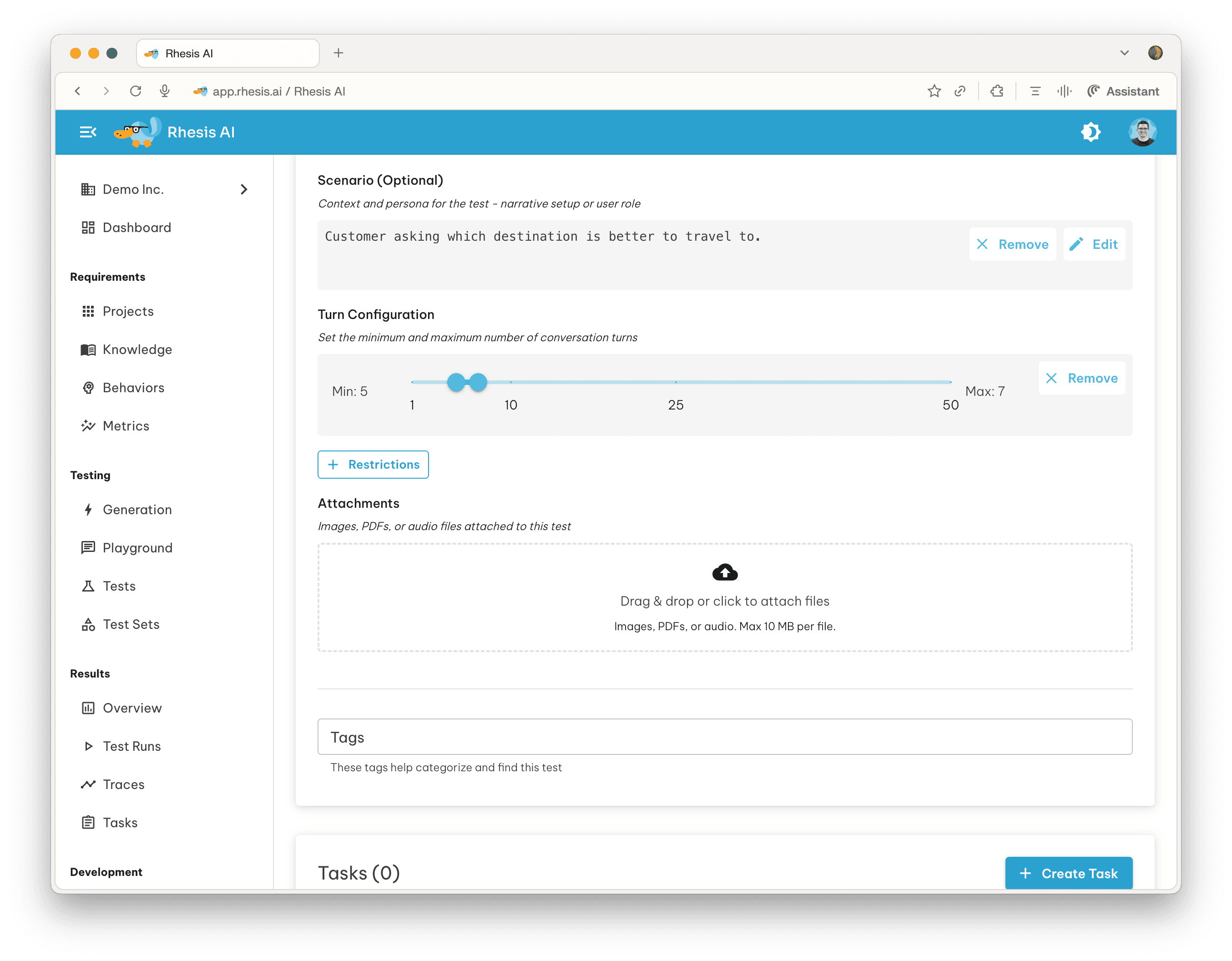
To an Existing Test
Files can also be attached to any existing test from the test detail view. Attached files persist with the test and are sent on every execution.
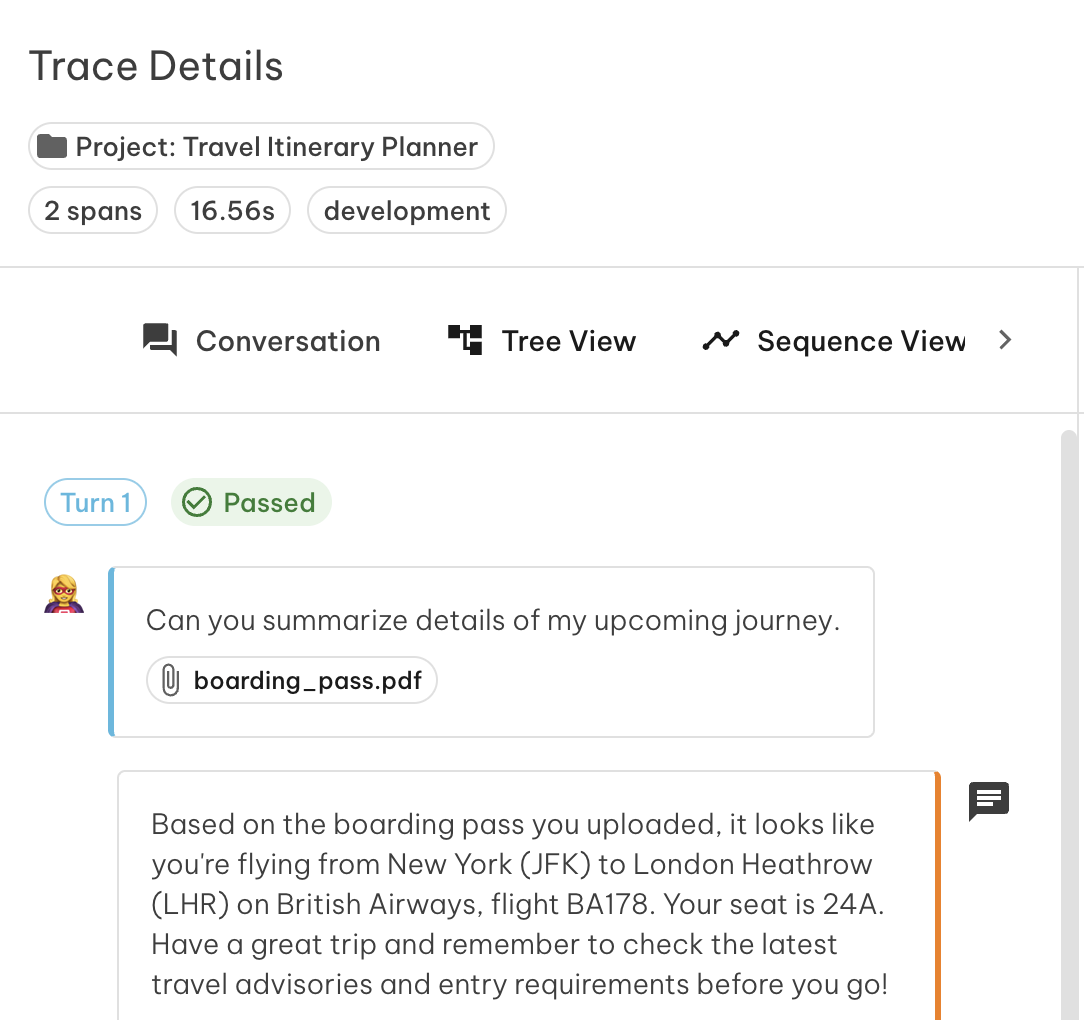
Viewing Files in Traces
When a test with files is executed, the files appear inline within the conversation trace. You can inspect what was sent at each turn alongside the model’s response.
Enabling Multi-modal for Your Endpoint
For your endpoint to receive files, you need to include the \{\{ files \}\} variable in your request mapping. The built-in format filters (to_anthropic, to_openai, to_gemini) convert files into the structure each provider expects.
Example for an Anthropic endpoint:
See File Attachments in the mapping examples for OpenAI, Gemini, and custom formats.
If no files are attached to a test, all filters return an empty array and the request is sent as normal.
Tracing File Operations
To capture file operations in traces, add the relevant Rhesis tracing decorators to your endpoint implementation. This gives you visibility into how your endpoint handled each file — including any processing, extraction, or retrieval steps.
See Tracing for setup instructions.