Connect Application
Once your Rhesis environment is set up, the next step is to connect your Generative AI application. Rhesis acts as an orchestrator, sending test prompts to your application and recording the responses for evaluation.
We call the connection point to your application an Endpoint.
Because every AI application expects a different request format and returns data in a different shape, Rhesis uses a mapping layer. This means you don’t need to rewrite your application’s API to conform to Rhesis; instead, you simply map Rhesis’s standardized variables to your application’s expected format.
Rhesis supports two main approaches for connecting your application: REST Endpoints (configured via the UI) and the Rhesis Connector (using our Python SDK).
Approach 1: REST Endpoints
If your AI application is exposed as an HTTP API, you can connect it directly from the Rhesis UI without writing any new code. To do this, log in to the Rhesis Platform and navigate to the /endpoints page.
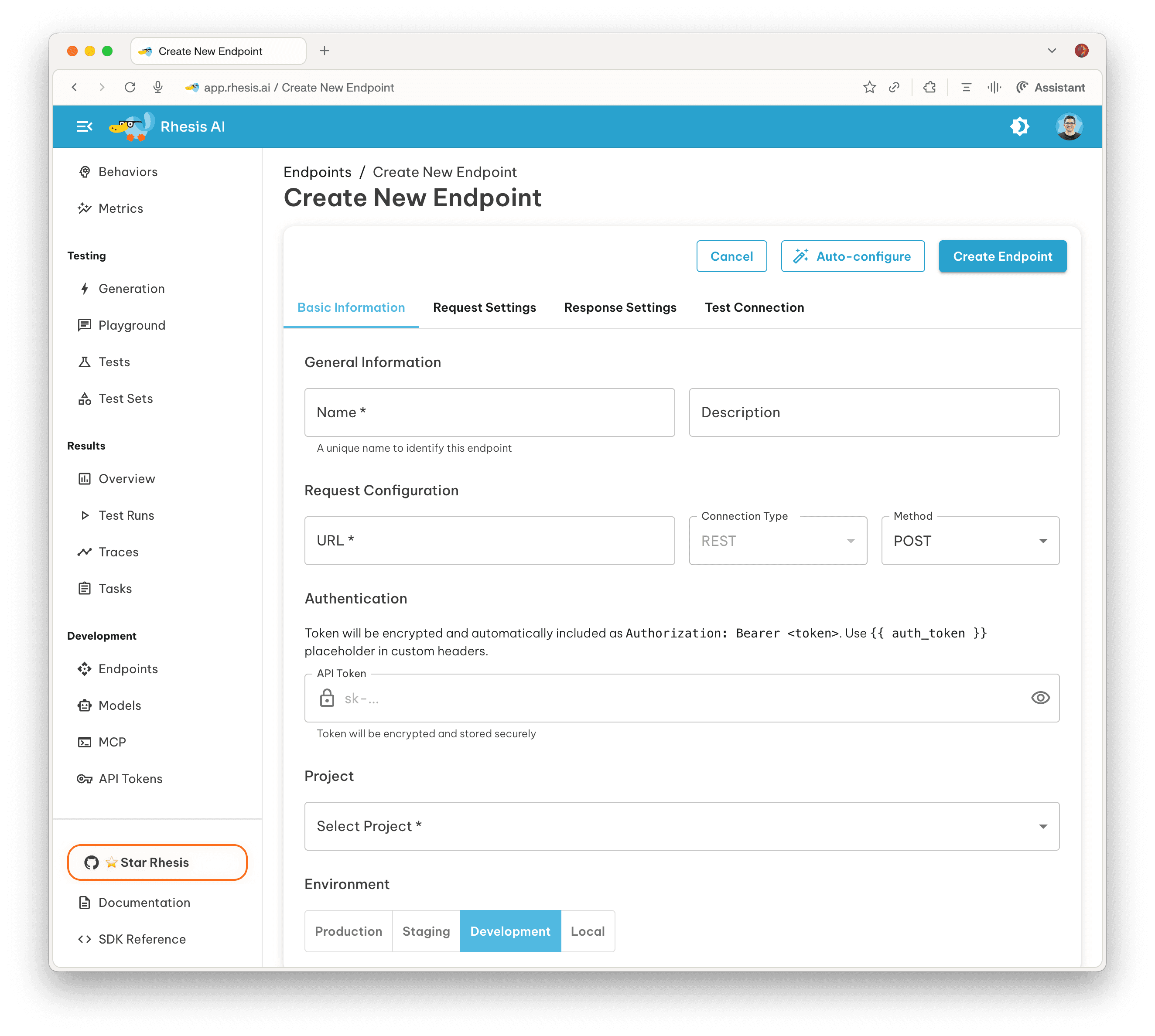
Rhesis provides flexible ways to define your mapping:
- Auto-Configure: A convenient shortcut. Provide your URL, sample payload, and API key, and Rhesis will try its best to automatically map your endpoint to the platform variables.
- Custom Mapping: If auto-configure doesn’t work perfectly or you have complex requirements, you can manually use JSONPath expressions and Jinja2 templates to precisely map inputs to your API request body, and map the outputs back to Rhesis.
Tip: The REST approach is ideal if your AI features are already wrapped in microservices or if you use standard LLM APIs.
To learn more about setting up REST endpoints and variable mapping, see the Platform Endpoints Guide.
Approach 2: Rhesis Connector (Python SDK)
If you are developing your application in Python and want deeper integration, you can use the Rhesis Python SDK. This approach allows you to define endpoints directly in your codebase.
By decorating your Python functions with @endpoint, you create a secure, bi-directional tunnel between Rhesis and your application. Rhesis can then execute your local code directly during tests. The Connector will try to automatically map the platform-managed variables to your function’s arguments, but it also supports explicit request and response mapping.
Note: The SDK approach is powerful because it works even if your application is running locally behind a firewall. The connector establishes an outbound connection to Rhesis, eliminating the need for ngrok or complex port forwarding.
To learn more about the SDK integration, see the SDK Endpoints Guide.
Platform-Managed Variables & Mapping Example
Whether you are using REST Endpoints or the Python SDK, Rhesis communicates with your application using a set of standardized platform-managed variables.
Rhesis uses these variables to pass inputs to your API during testing and extract the outputs for evaluation. When creating a REST Endpoint, you map these either automatically (via Auto-Configure) or manually.
Request Variables (Sent to your API)
input(Required): The main user query or test prompt.files: Array of file attachments (for multimodal testing).conversation_id: Conversation tracking identifier.
Response Variables (Extracted from your API)
output(Required): The main response text to be evaluated.context: Additional context or retrieved documents.metadata: Structured data like token counts or model version.tool_calls: Any tool or function calls made during generation.
Mapping Example
If your API expects a body like {"query": "Hello"} and returns {"data": {"answer": "Hi there"}}, you would configure the mapping as follows:
Request Mapping (Jinja2):
Response Mapping (JSONPath):
Once your application is connected as an Endpoint, you are ready for the final step: Run Evaluations.