Run Evaluations
With your environment set up and your application connected, you are ready to run evaluations. In Rhesis, a group of test cases used to evaluate an application is called a Test Set.
A Test Set is a collection of prompts (with optional context and expected outputs) that will be sent to your Endpoint.
There are three main ways to acquire or create Test Sets in Rhesis:
Generating Tests
Instead of writing test cases manually, you can use Rhesis to automatically generate them based on your application’s requirements or constraints.
Using the UI: You can use the Rhesis Platform to generate tests interactively. Navigate to the Generation menu item, choose the type of test, then choose whether you want to use AI to generate the tests based on a description, or do it manually.
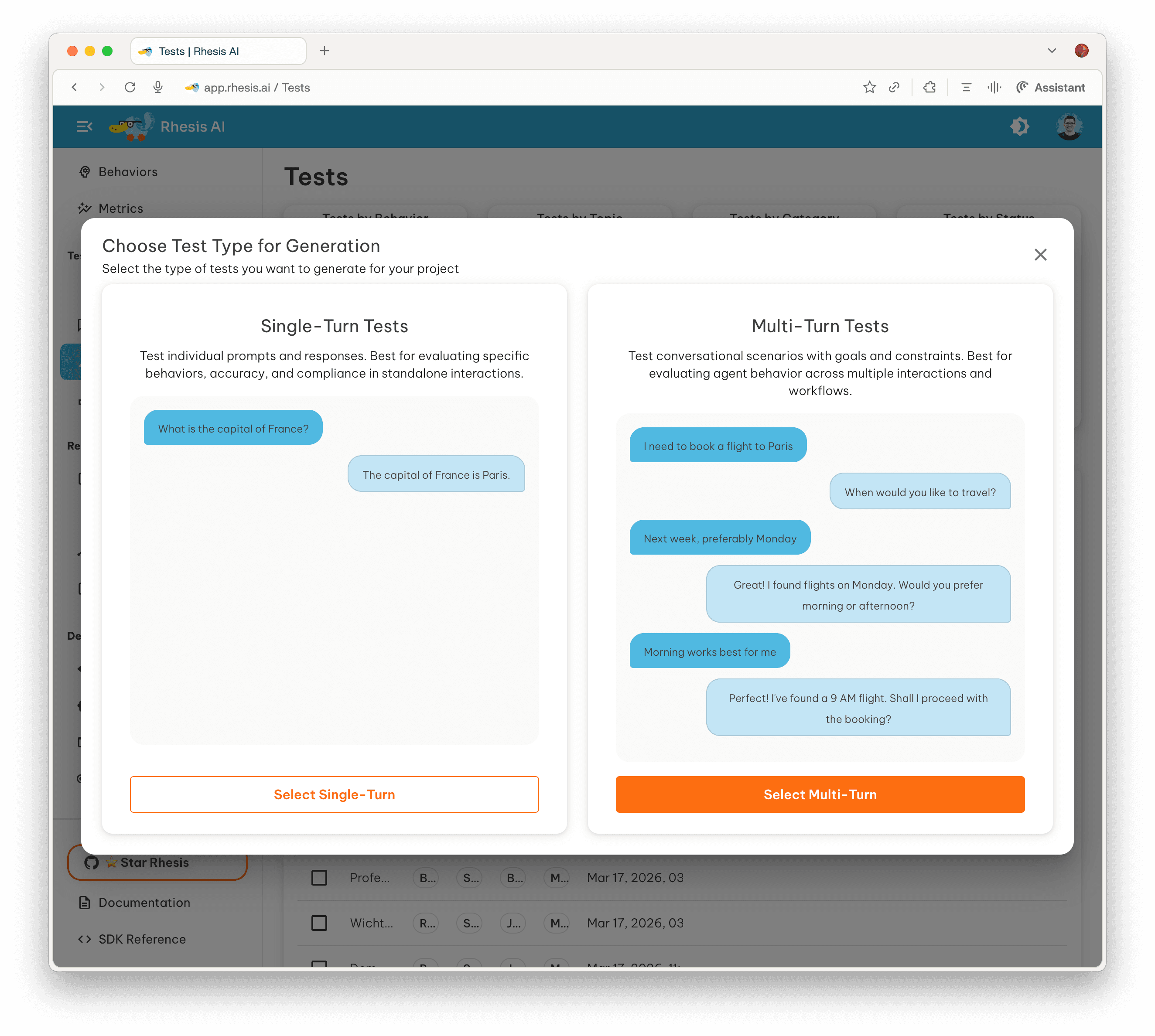
- You can generate single-turn prompts or complex multi-turn conversations.
- Learn more about the Test Generation UI.
Using the Python SDK:
You can also generate tests programmatically using the PromptSynthesizer.
Importing Existing Tests
If you already have test cases stored in a file (such as a CSV or JSON file from previous evaluations), you can easily import them into Rhesis.
This is useful for regression testing or when you want to evaluate your application against established benchmarks. You can upload files directly through the Platform UI.
Adversarial Security Testing (Garak)
For evaluating the security and robustness of your AI application, Rhesis integrates with specialized tools to generate adversarial tests.
Using our integration with Garak (Generative AI Red-teaming and Assessment Kit), you can automatically probe your application for vulnerabilities like prompt injection, data leakage, and harmful content generation.
Running the Test Set
Once your Test Set is ready and your Endpoint is connected, you can execute a test run.
- Navigate to the Test Sets page in the Rhesis UI.
- Select your newly created Test Set.
- Click the Run Test button.
- Select the Endpoint you connected in Step 2.
- (Optional) Select any evaluation metrics you want to compute on the results.
- Click Execute to start the run.
Rhesis will orchestrate the execution, sending each test case to your application in parallel, collecting the responses, and computing relevant metrics. You can then analyze the results in the interactive dashboards.
For detailed information on configuring execution behavior, concurrency, and handling retries, see the Test Execution Guide.
Prefer working from your IDE? The Agent Skill lets you run the full discover-plan-execute workflow from Cursor, Claude Code, or any compatible AI interface — no browser tab required.
Congratulations! You’ve completed the Getting Started guide. To dive deeper, explore the Product Tour or read up on our Core Concepts.