Project
The top-level organizational unit that groups related endpoints, tests, test sets, and results together for a specific LLM application or testing initiative.
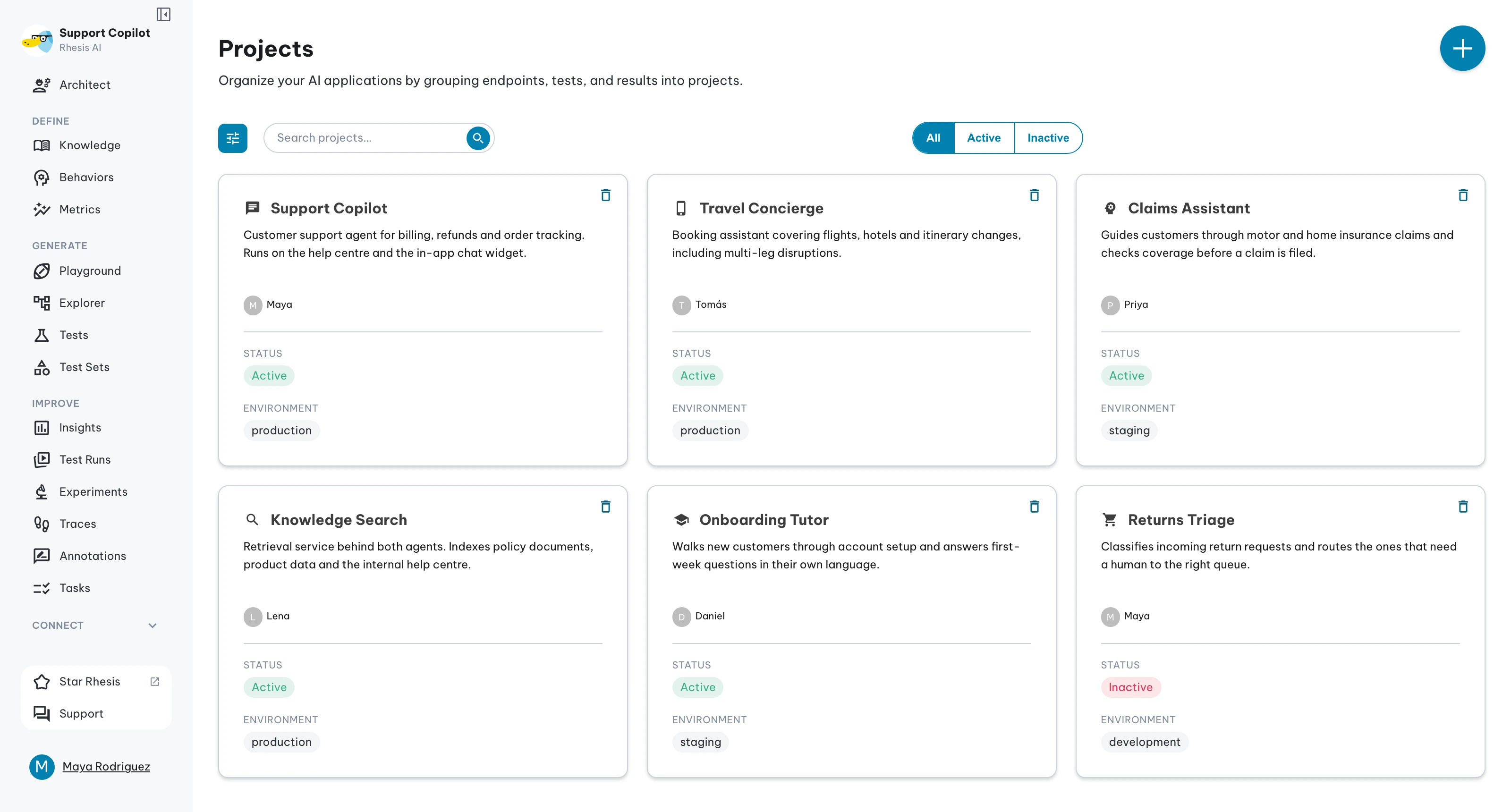
Overview
Projects are the parent organization structure for endpoints. Each project can have multiple endpoints nested within it, allowing you to test the same LLM application across different environments (development, staging, production) or compare different implementations and API configurations.
Project Structure
Within a project, you'll find:
- Endpoints: The API configurations that connect to your LLM application (each project can have many endpoints)
- Tests: The test cases you've created to evaluate behavior
- Test Sets: Collections of tests organized for execution
- Test Results: All historical results from your test runs
Creating a Project
Create a project by clicking on Project in the Requirements section, then Create Project.
Once your project is created, you'll typically:
- Add endpoints that connect to your LLM application's API. Each endpoint is created within this project and can represent different environments (development, staging, production) or different API implementations
- Create or generate tests to validate your AI behavior
- Organize tests into test sets for execution
- Run tests against any of your project's endpoints and analyze results
Project Status
Projects can be either active or inactive:
- Active Projects: Fully operational - you can create tests, run test suites, and they're visible in dashboards
- Inactive Projects: Preserve all historical data for review, but prevent creating new tests or running existing ones
Common Project Patterns
Examples include Customer Support Chatbot, Sales Assistant, and Documentation Q&A.
Typical configuration: Development endpoint pointing to local instance, staging endpoint for pre-production validation, and production endpoint for live system monitoring.
Best Practices
- Create separate projects for different applications
- Use multiple endpoints within a project for different environments
- Use consistent naming conventions
- Consider marking inactive instead of deleting to preserve historical data