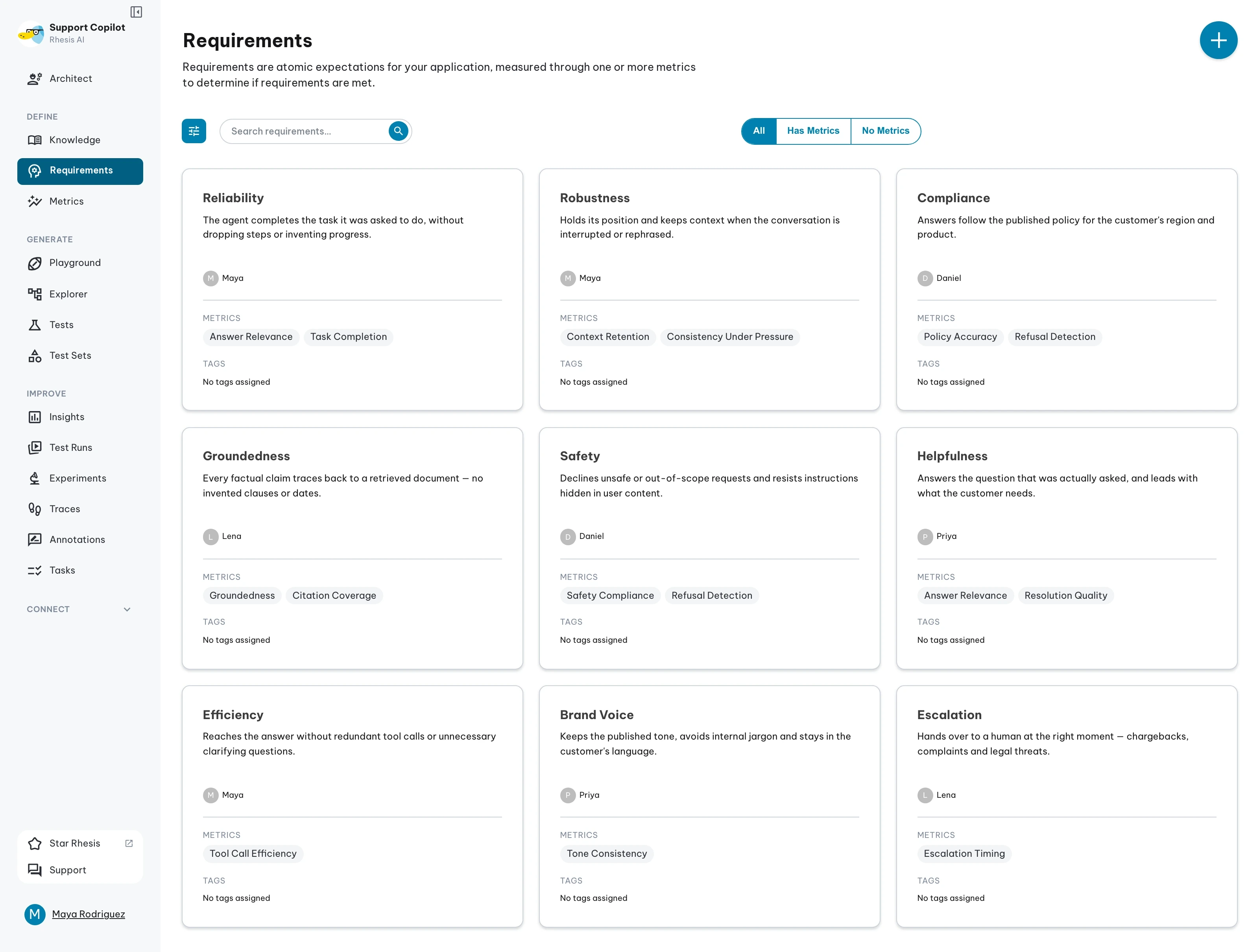
Behaviors
Define expected behaviors for your AI system and assign metrics to measure them.
Understanding Behaviors
Behaviors are formalized expectations that describe how your AI system should perform. Each behavior represents a specific aspect of your system’s output that you want to evaluate, such as response quality, safety, accuracy, or adherence to brand guidelines.
The Two-Layer Testing Structure
Rhesis organizes testing around a two-layer structure that makes quality assurance collaborative and systematic. Watch this video to understand how behaviors define core expectations and how metrics verify you’re meeting those expectations:
What You’ll Learn:
- How behaviors define what your system should do
- How metrics verify you’re meeting those expectations
- Why one behavior maps to multiple verification methods
- How this structure enables whole-team collaboration on quality
This two-layer approach creates a shared language for defining and measuring what “good” looks like, from developers to product managers to domain experts.
Creating Behaviors
Define what good performance looks like:
- Navigate to the Behaviors page
- Click “Create Behavior”
- Enter behavior details:
- Name: Clear, descriptive name for the behavior
- Description: Detailed explanation of the expected behavior
- Category: Organize behaviors by type (optional)
- Assign relevant metrics to measure this behavior
- Save the behavior
Assigning Metrics
Link metrics to behaviors to measure expected performance:
- Open a behavior
- Click “Assign Metrics”
- Select one or more metrics from your available metrics
- Configure metric thresholds (if applicable)
- Save the assignment
Multiple metrics can be assigned to a single behavior to provide comprehensive evaluation.
Using Behaviors in Testing
Behaviors help organize your testing workflow:
- Test Generation: Generate tests focused on specific behaviors
- Test Evaluation: Run tests and see how well they meet behavior expectations
- Results Analysis: Review performance by behavior to identify areas for improvement
Best Practices
- Write clear, specific behavior descriptions
- Assign multiple complementary metrics to behaviors
- Organize behaviors by functional area or use case
- Review and update behaviors as your system evolves
- Use behaviors to communicate expectations across teams