Single-Turn Endpoints
Configure request and response mappings for endpoints that handle one exchange at a time.
Single-turn endpoints process one request-response pair per invocation. This is the most common pattern: you send a prompt, the API returns a response, and Rhesis evaluates it. For conversational endpoints that maintain context across multiple turns, see Multi-Turn Conversations.
Request Body Templates
Request body templates define how Rhesis transforms its platform-managed variables into the JSON structure your API expects. Templates use Jinja2 syntax for dynamic values.
Basic Template
Place the input variable wherever your API expects the user query:
Nested Structures
For APIs that use nested message formats, embed input within the appropriate
structure:
Note: The example above hardcodes a single user message in the messages
array. If your endpoint is stateless and you need Rhesis to manage the full
conversation history across multiple turns, use "messages": "{{ messages }}"
instead. Rhesis detects this and automatically builds the messages array
with the complete conversation history. See
Multi-Turn Conversations
for details.
The tojson Filter
Use the tojson filter when a variable might be null or when you need proper
JSON serialization. This is especially useful for optional fields:
The tojson filter ensures values are properly formatted as JSON:
- Python
Nonebecomes JSONnull - Strings are properly quoted
- Objects and arrays are serialized correctly
File Format Filters
When tests include file attachments (images, PDFs, or other documents), the
files variable contains an array of file objects. Each provider expects files
in a different format, so Rhesis provides built-in filters to handle the
conversion:
| Filter | Provider | Description |
|---|---|---|
to_anthropic | Anthropic Claude | Images as type: "image", PDFs as type: "document", with base64 source |
to_openai | OpenAI | Files as type: "image_url" with data: URI |
to_gemini | Google Gemini | Files as inline_data with mime_type and data |
Apply a filter using the pipe syntax:
When no files are attached, all filters return an empty array ([]).
If your endpoint uses a custom file format, you can pass files directly
using \{\{ files \}\} and handle the transformation on your side.
See Mapping Examples for complete request and response configurations with file attachments.
Custom Static Fields
You can include any static values alongside platform variables. These are sent as-is with every request:
Response Mappings
Response mappings tell Rhesis how to extract platform-managed variables from your API’s response. You can use JSONPath expressions, Jinja2 templates, or a combination of both.
JSONPath Expressions
JSONPath is the simplest approach. Expressions starting with $ are evaluated
as JSONPath against the response body:
Common JSONPath patterns:
| Pattern | Description |
|---|---|
$.field | Top-level field |
$.nested.field | Nested field |
$.array[0] | First element of an array |
$.array[0].field | Field from the first array element |
$.data[*].text | text field from all array elements |
Jinja2 Templates with jsonpath()
For conditional logic or fallback values, use Jinja2 templates with the
jsonpath() function:
The first value evaluates as a Jinja2 template and returns the first non-empty
field. Pure JSONPath expressions (starting with $) work without any wrapping.
Mixing Approaches
You can mix JSONPath and Jinja2 in the same response mapping. Each field is evaluated independently:
Platform-Managed Fields
Rhesis actively uses certain mapped response fields for evaluation and tracking. Other fields are stored but not actively used by the platform.
Required field: The output field must always be mapped. Without it,
Rhesis cannot evaluate your endpoint’s responses against metrics.
Actively used fields:
output: The main response text, used for metric evaluationcontext: Additional context, used by context-dependent metrics- Conversation tracking fields (
conversation_id,session_id, etc.): Used for multi-turn conversation management
Stored and available to metrics:
metadata: Stored with the test result and available to custom metrics during evaluationtool_calls: Stored with the test result and available to metrics that evaluate tool use (e.g. tool correctness, function call accuracy)- Any custom fields you define in the response mapping
Testing Your Endpoint
Before running full test suites, verify your endpoint configuration works correctly.
- Navigate to the Test Connection tab on the endpoint details page
- Enter sample input data in the text field
- Click Test Endpoint
- Review the response to ensure it returns expected data
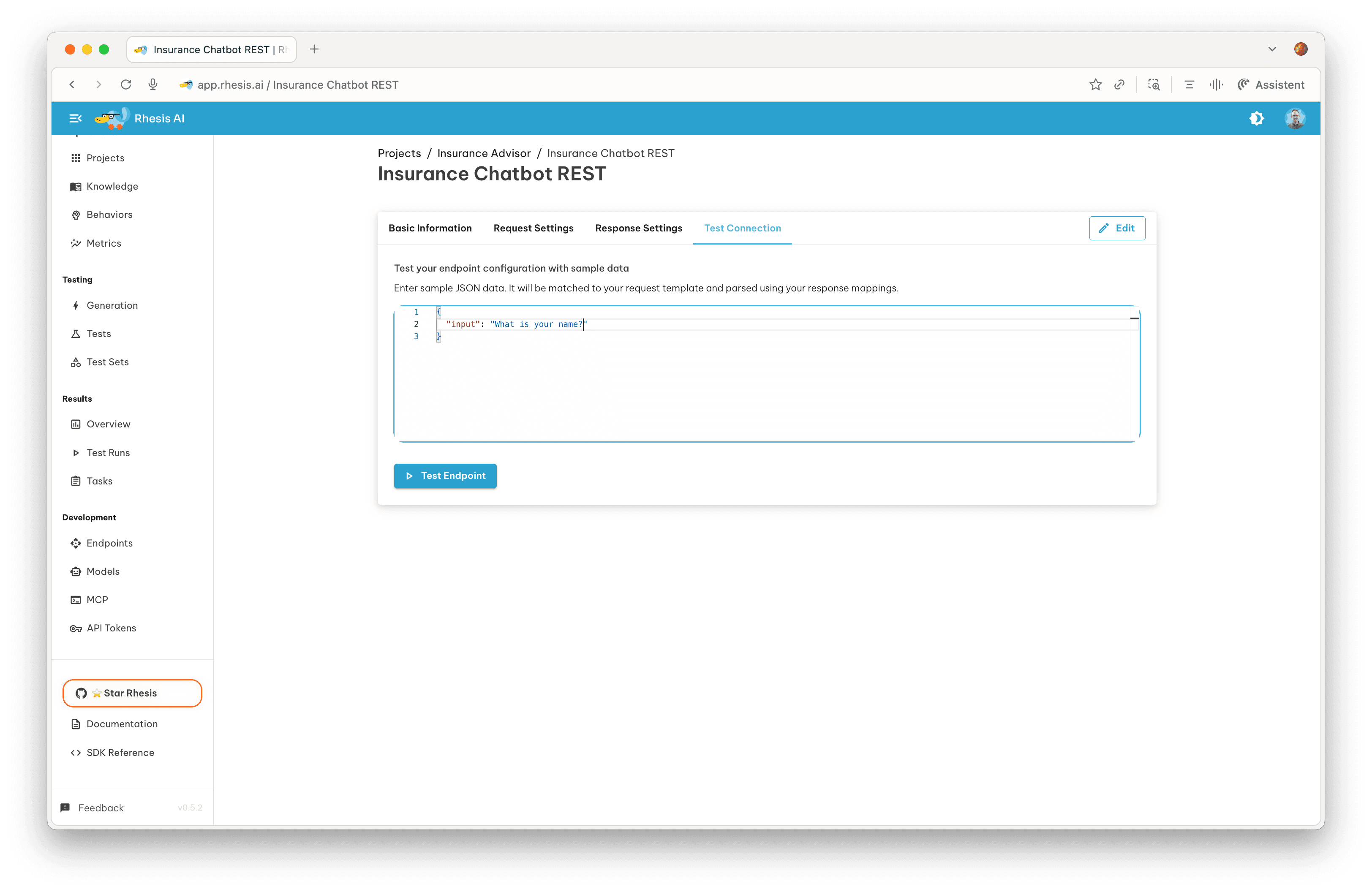
The test connection sends a single request using your configured template and displays the raw API response alongside the mapped result. This helps you verify that your JSONPath expressions and Jinja2 templates extract the correct values.
Stateless endpoints: If your endpoint uses the messages template
variable, the test connection automatically builds a one-shot messages array
from your input and system prompt. You do not need to provide the messages
array manually.
Example: Complete REST Endpoint
Here is a complete configuration for a typical REST endpoint calling an LLM API.
Request headers:
The auth_token placeholder is automatically replaced with the token configured
in the endpoint settings. See the
Endpoints Overview for details.
Request body template:
Response mapping:
With this configuration, when Rhesis sends a test prompt like “What is machine
learning?”, it formats the request, sends it to your API, extracts the response
text from choices[0].message.content, and evaluates it against your configured
metrics. Usage metadata is stored alongside the test result for reference.
Next Steps
- Configure Multi-Turn Conversations for conversational AI testing
- Return to the Endpoints Overview for general endpoint management
- Generate Tests to validate your endpoint