Multi-Turn Conversations
Test conversational AI systems that maintain context across multiple interactions.
What are multi-turn conversations? Many AI applications are conversational: users ask follow-up questions, refer to previous answers, and expect the system to remember context. Rhesis supports testing these interactions by managing conversation state automatically, regardless of whether your API is stateful or stateless.
Stateful vs. Stateless Endpoints
AI endpoints handle conversation context in one of two ways:
- Stateful endpoints maintain session state on the server. Your API returns a
conversation identifier (e.g.,
conversation_idorsession_id), and the caller passes it back on subsequent requests. The API looks up the conversation history internally. - Stateless endpoints do not maintain any server-side state. The caller must
send the entire conversation history (as a
messagesarray) with every request. This is the pattern used by most LLM provider APIs.
Rhesis detects which mode to use based on your endpoint configuration and handles both patterns transparently.
Stateful Endpoints (Conversation Tracking)
For endpoints that manage their own session state, Rhesis tracks the conversation identifier returned by your API and includes it in subsequent requests automatically.
Configuration
Map the conversation field from your API response in the response mapping:
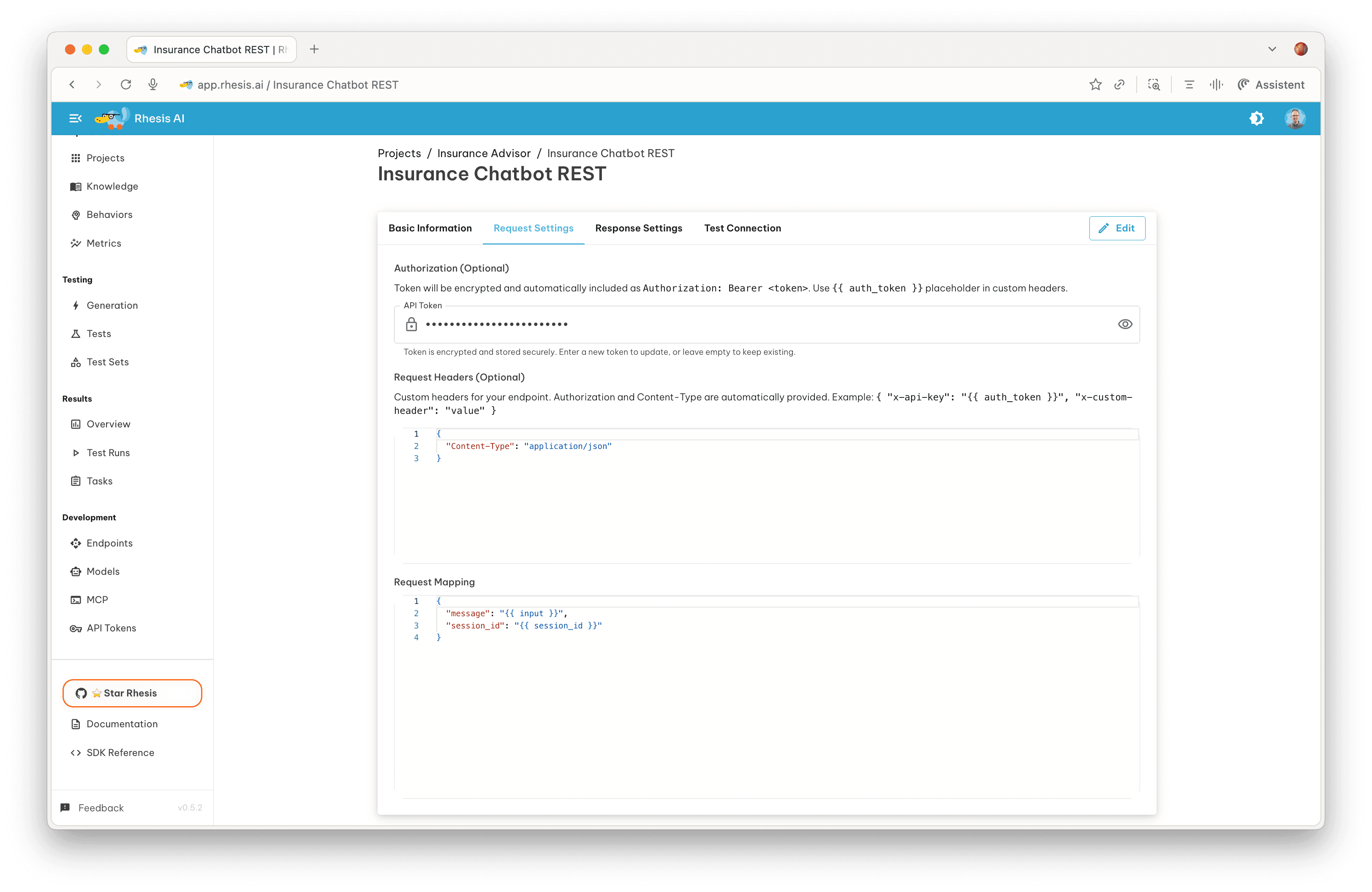
Include the conversation variable in your request body template so Rhesis can pass it back on subsequent turns:
The tojson filter ensures the value is null on the first turn (when no
conversation has been established) and a properly quoted string on subsequent
turns.
Supported Conversation Field Names
Rhesis automatically detects and handles the following conversation field names in your response mapping. You do not need any additional configuration beyond mapping the field.
Most common (Tier 1):
conversation_idsession_idthread_idchat_id
Common variants (Tier 2):
dialog_iddialogue_idcontext_idinteraction_id
Internally, Rhesis normalizes all conversation field names to
conversation_id. If your API uses session_id or thread_id, Rhesis
still maps it correctly in both directions.
How It Works
When a conversation field is mapped, Rhesis will:
- Send the first request without a conversation identifier (or with
null) - Extract the conversation ID from the API response
- Automatically include it in subsequent requests for the same conversation
- Maintain conversation context across all test turns
This works for both REST and WebSocket endpoints without any additional configuration.
Example Flow
Stateless Endpoints (Message History)
Some AI endpoints are stateless: they do not maintain conversation context on the server side. Instead, the caller must send the entire conversation history with every request. Rhesis supports this pattern natively by managing the conversation history internally.
Configuration
Use the messages template variable in your request body template. Rhesis
detects this and switches to stateless conversation management:
The response mapping works the same as any other endpoint. Map the output
field to where the assistant’s reply is returned:
How It Works
- Automatic detection: Rhesis identifies a stateless endpoint when the
request body template contains
\{\{ messages \}\}. - History management: During multi-turn test execution, Rhesis accumulates
the full conversation history (user messages and assistant responses) and sends
it as the
messagesarray with each request. - System prompt: If you include a
system_promptfield in the request body template, Rhesis prepends it to the messages array as the first entry with thesystemrole. Thesystem_promptfield itself is stripped from the final request before sending. - Single-turn auto-population: For single test runs (outside multi-turn conversations), Rhesis automatically builds the messages array from the test input and system prompt so you do not need to provide it manually.
- Conversation ID: Even though your endpoint is stateless, Rhesis assigns an
internal
conversation_idso the platform can track the conversation across turns. This ID is returned in the API response but is not sent to your endpoint.
Messages Format
The messages array follows the standard chat completion format used by most LLM providers:
Each message has a role (system, user, or assistant) and content (the
message text). Rhesis builds this array incrementally as the conversation
progresses:
- Turn 1:
[system, user]— system prompt plus the first user input - Turn 2:
[system, user, assistant, user]— previous history plus the new user input - Turn N: Full history up to the current turn
System Prompt Handling
The system_prompt field in the request body template is a special
platform-managed variable:
- Rhesis extracts its value from the template
- It is prepended to the
messagesarray as the first entry withrole: "system" - The
system_promptfield itself is removed from the final request body before sending to your API
This means your API only receives the standard messages array with the system
prompt already included as the first message.
Choosing Between Stateful and Stateless
Stateless vs. Stateful: Use stateless configuration when your endpoint
expects the full conversation history in every request. Use stateful
configuration (with conversation tracking fields like conversation_id) when
your endpoint maintains server-side session state. Rhesis detects which mode to
use based on your request body template.
| Aspect | Stateful | Stateless |
|---|---|---|
| Server manages context | Yes | No |
| Request body includes | conversation_id | messages array |
| Detected by | Conversation field in response mapping | \{\{ messages \}\} in request template |
| Example providers | Custom chatbots, managed services | OpenAI, Anthropic, Google AI |
| Rhesis manages | Conversation ID tracking | Full message history |
Next Steps
- Learn about Single-Turn Endpoints for request/response mapping details
- Return to the Endpoints Overview for general endpoint management
- Explore the Default Insurance Chatbot for a working multi-turn example